Feature update: Play calling sheets and Wristcoach printout improvements
Published: July 8, 2026
Back in May, we released the Printouts tab, giving coaches much more control over their Wristcoach printouts. This allowed coaches to include diagrams on plays or simply lists of plays with a color/number reference for each play.
Now we've added the ability to create Play Calling Sheets from the Printouts tab, as well as some improvements to Wristcoach printouts too.
Play Calling Sheets
When you go to create a Printout from the Printouts tab, you now have the ability to create a Play Calling Sheet.
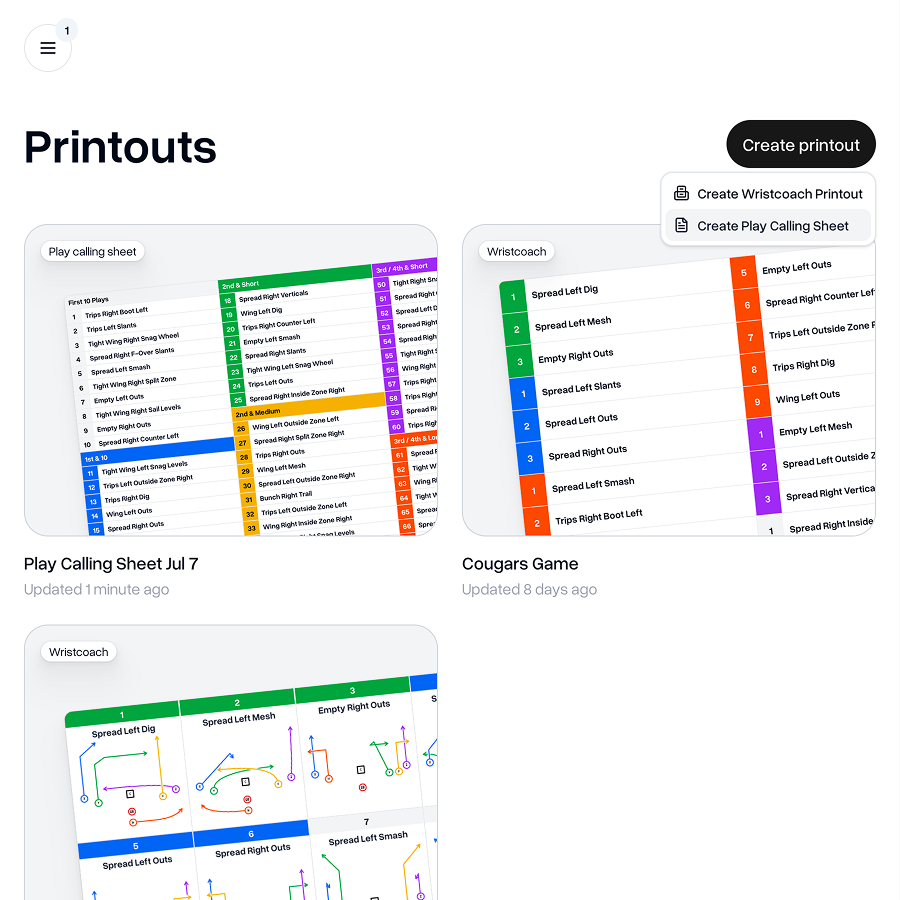
Much like a Wristcoach printout, you can choose to start from scratch or to pre-populate it with plays from an Install.
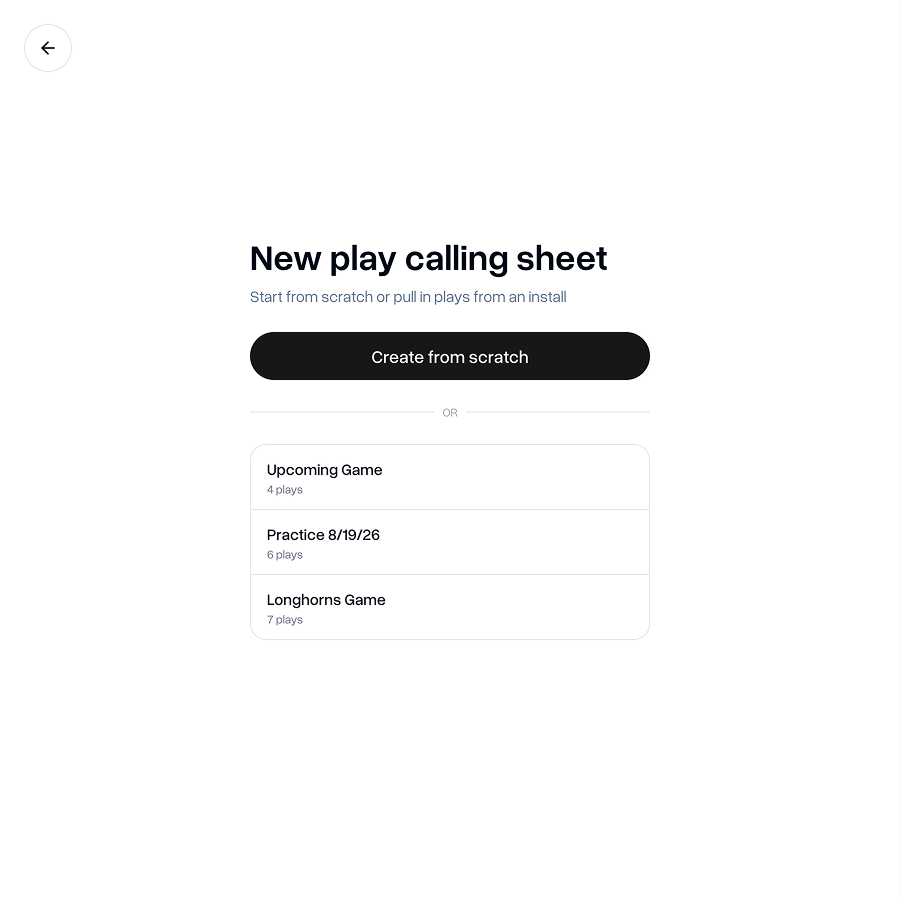
The Play Calling Sheet builder works much like the Wristcoach list mode, except you have a much larger area on which to fit your plays.
You can customize the number of columns and rows, giving you the flexibility to have up to 4 columns and up to 48 rows. This means you can fit up to 192 plays on your Play Calling Sheet.
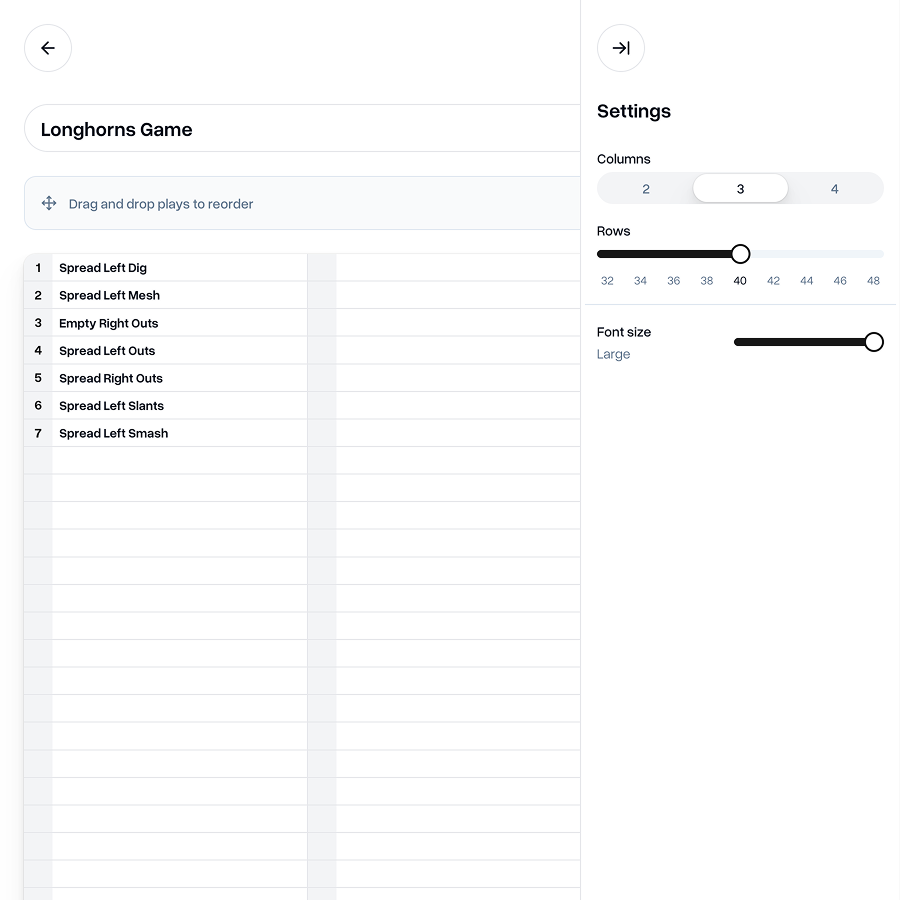
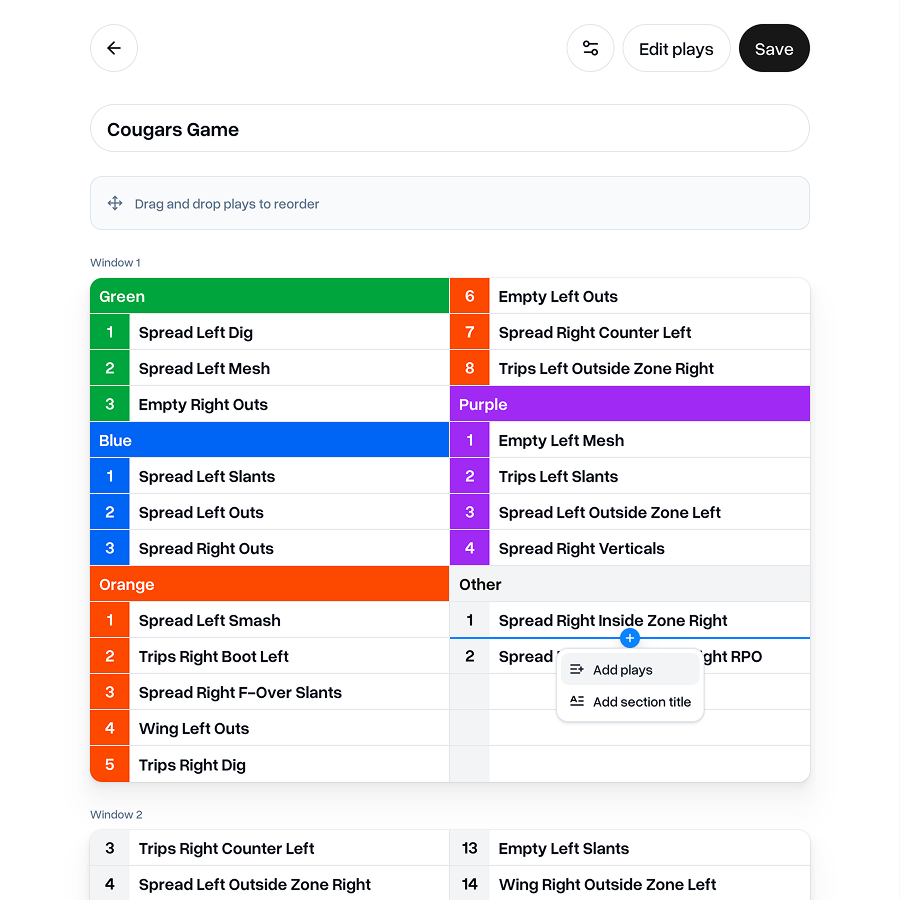
You can add section titles to make it easier to group your plays into sections. Just like plays, you have the ability to choose a color for the section title too, which can make it much easier to scan your sheet and find the plays you're looking for. Great for situational football, field position, hash marks or however else you like to group your play calls.
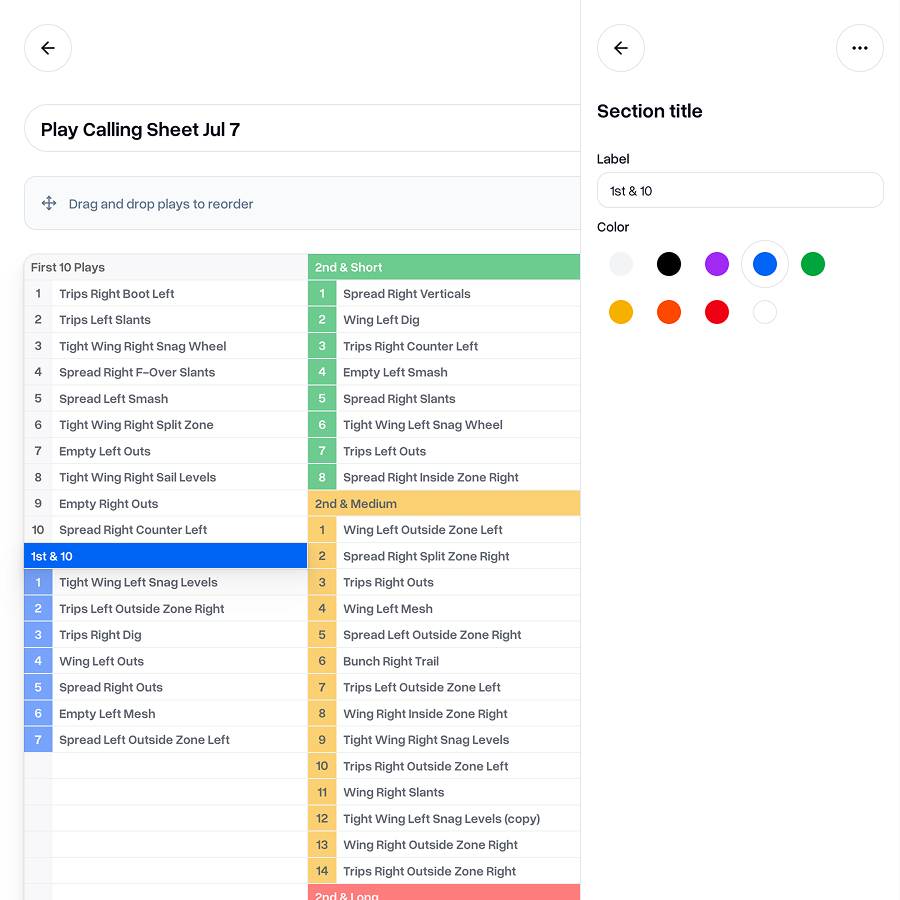
Instead of having to add new plays or titles at the end of the list, you can now insert them between existing items. Hover over the border between the items where you'd like to add a play or section title and you see a blue "Plus" button appear.
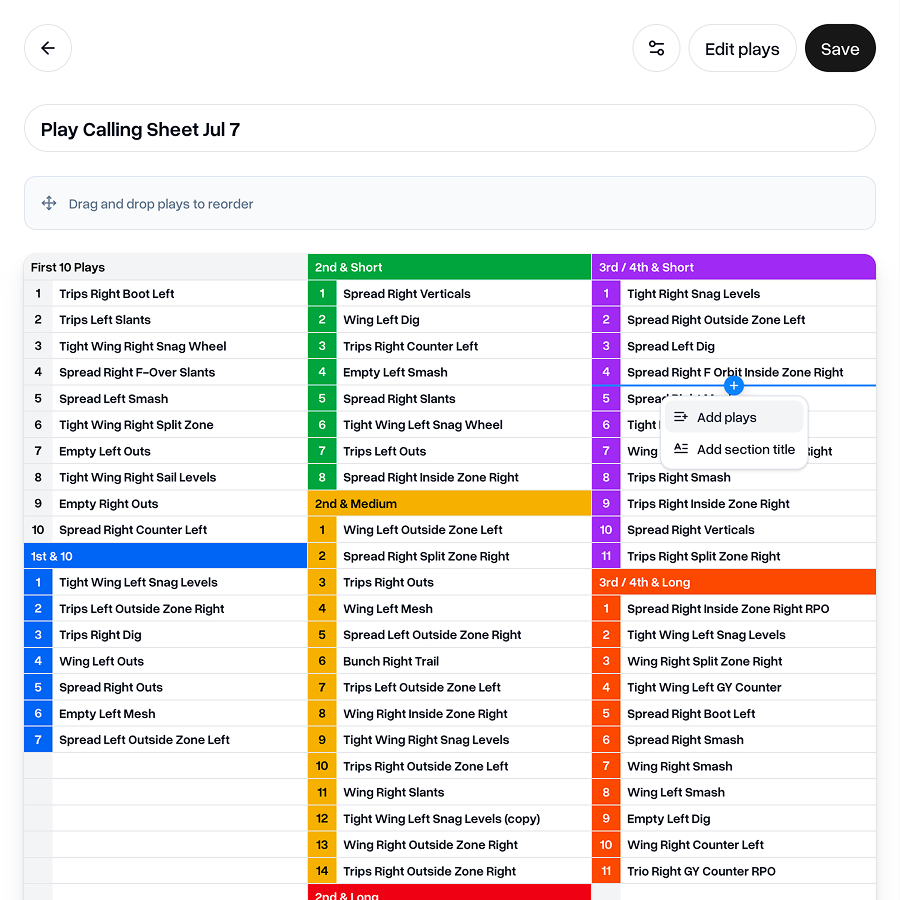
You can drag and drop plays wherever you want them to be on the sheet, even leaving spaces if you don't want them to be in an unbroken list.
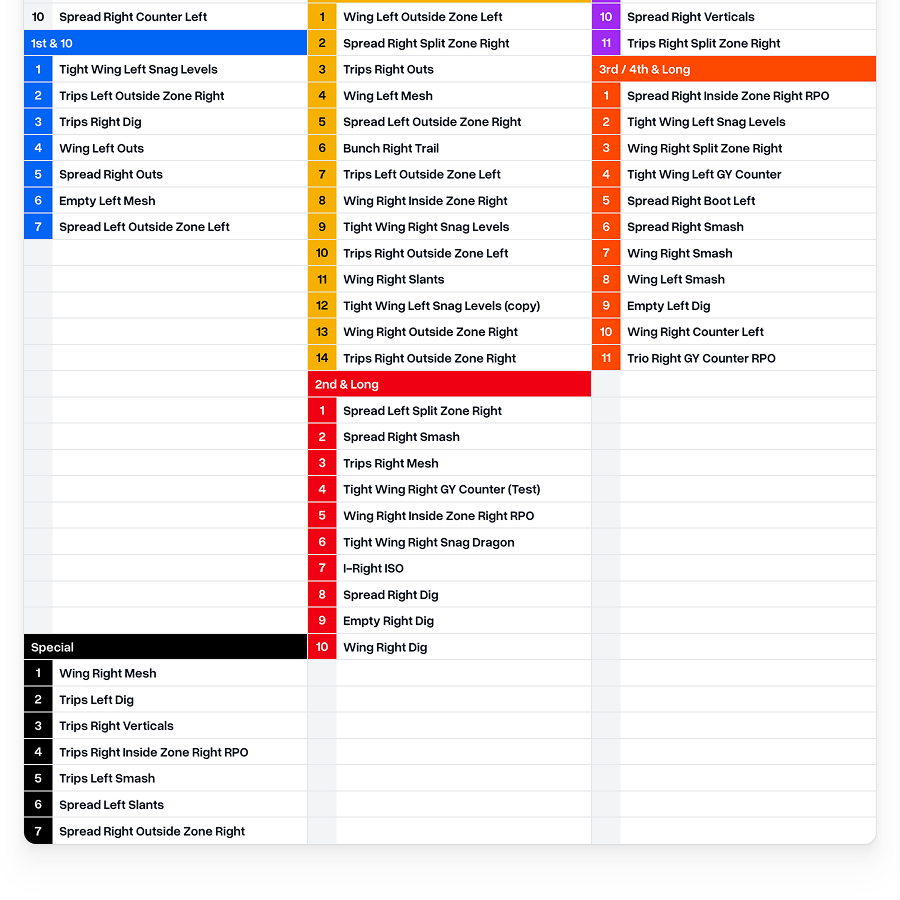
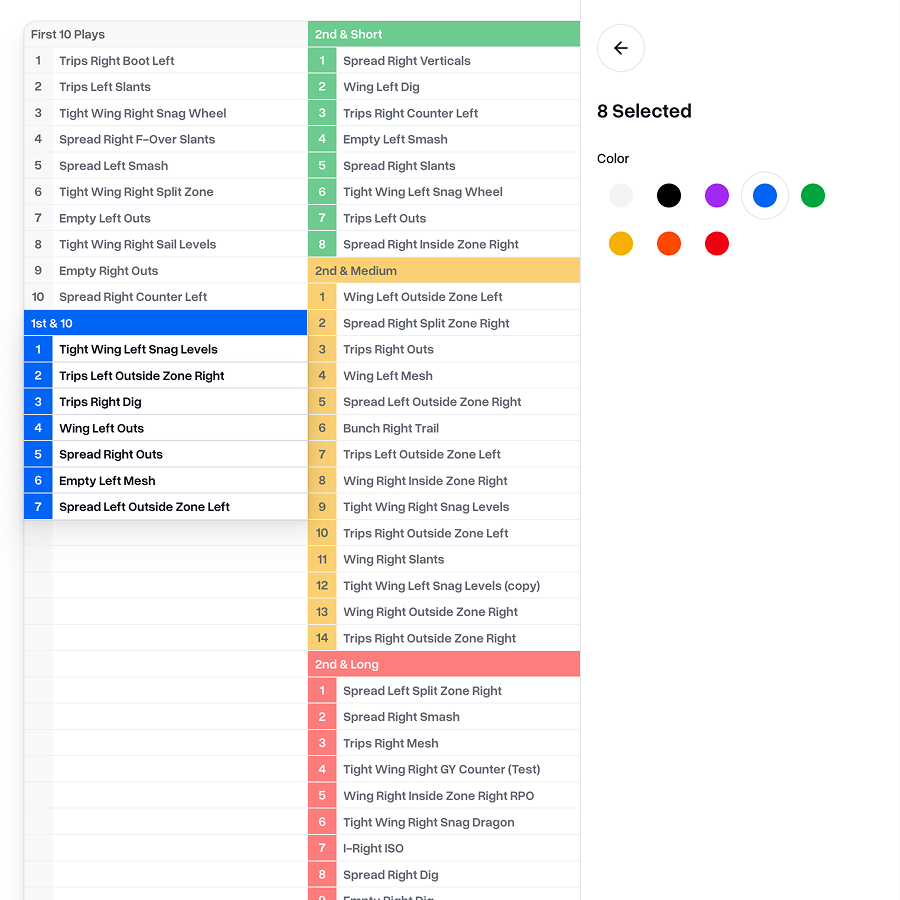
If you'd like to move more than one play or section title at the same time, you can select a consecutive range of items by selecting the first one, holding the shift key and then selecting the last one in the range you'd like to move.
Then you can drag these plays around together into a new position on the sheet.
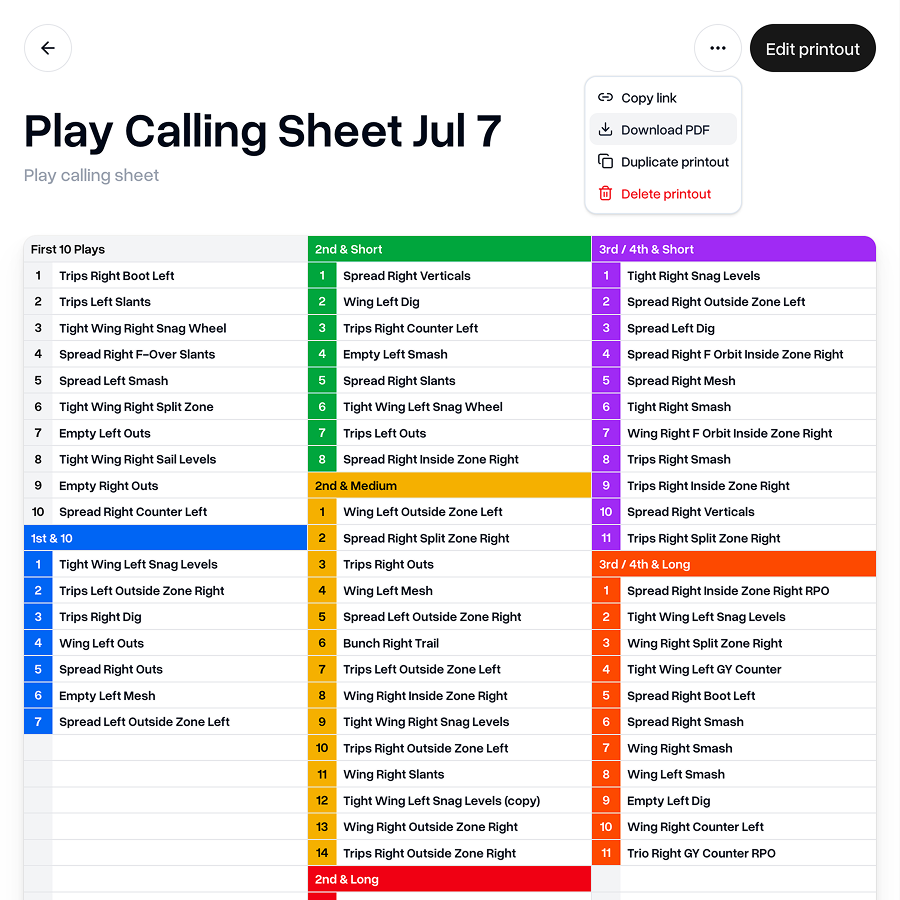
Once you're happy with your Play Calling Sheet, save it and you'll be able to download it. From there you're ready to print.
Wristcoach improvements
Our Wristcoach printouts have also benefitted from much of the feature additions for Play Calling Sheets.
In either List or Diagram mode you can now leave spaces, giving you more flexibility on how you'd like to lay out your plays.
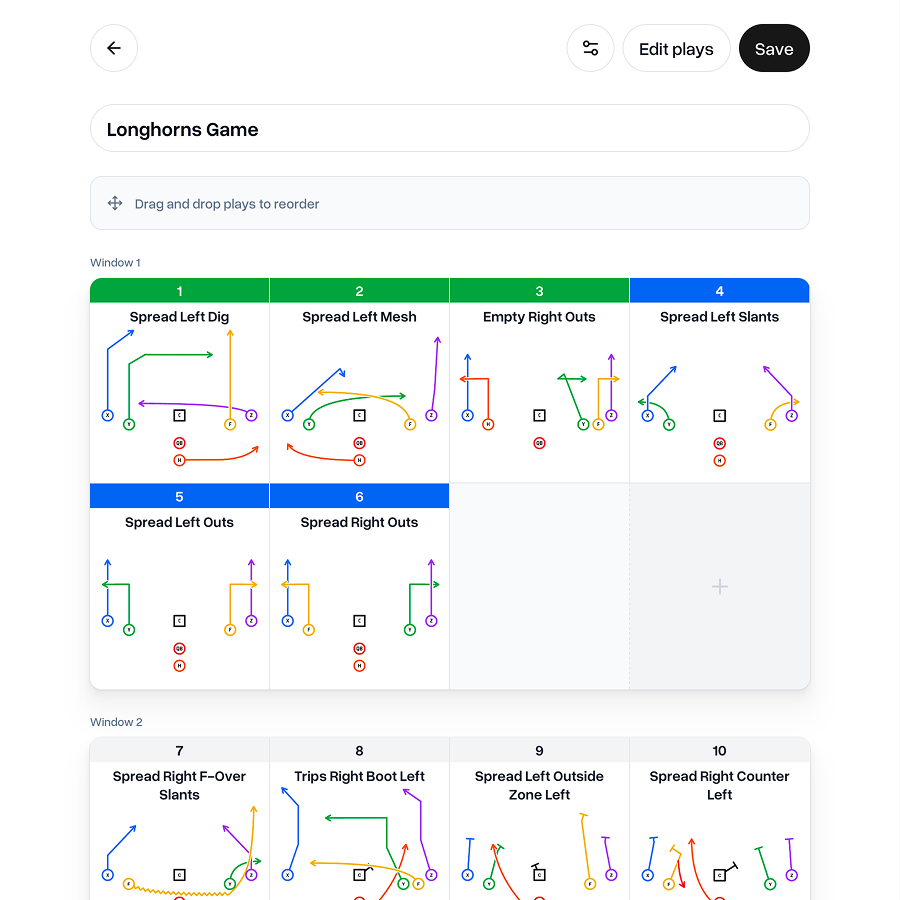
And in List mode, you can now add section titles and insert plays or titles between existing items.
 Go to Printouts
As always, if you have any feedback, questions or ideas for improvements, don't hesitate to reach out at aaron@playdesignerpro.com or via the live chat on the site.
— Aaron, Founder of Play Designer Pro