Feature update: Overlapping lines and hand offs
Published: May 27, 2026
Overlapping lines
As a coach, the goal of drawing play diagrams is to communicate how you intend to attack the opposing defense and to make each player's role as clear as possible.
The order of lines is one way to add detail by indicating which player goes first when routes and blocks cross over.
Until now it has been difficult to indicate which player goes first and which one trails. That changes now.
Lines now have a thin outline to clearly show when lines overlap.
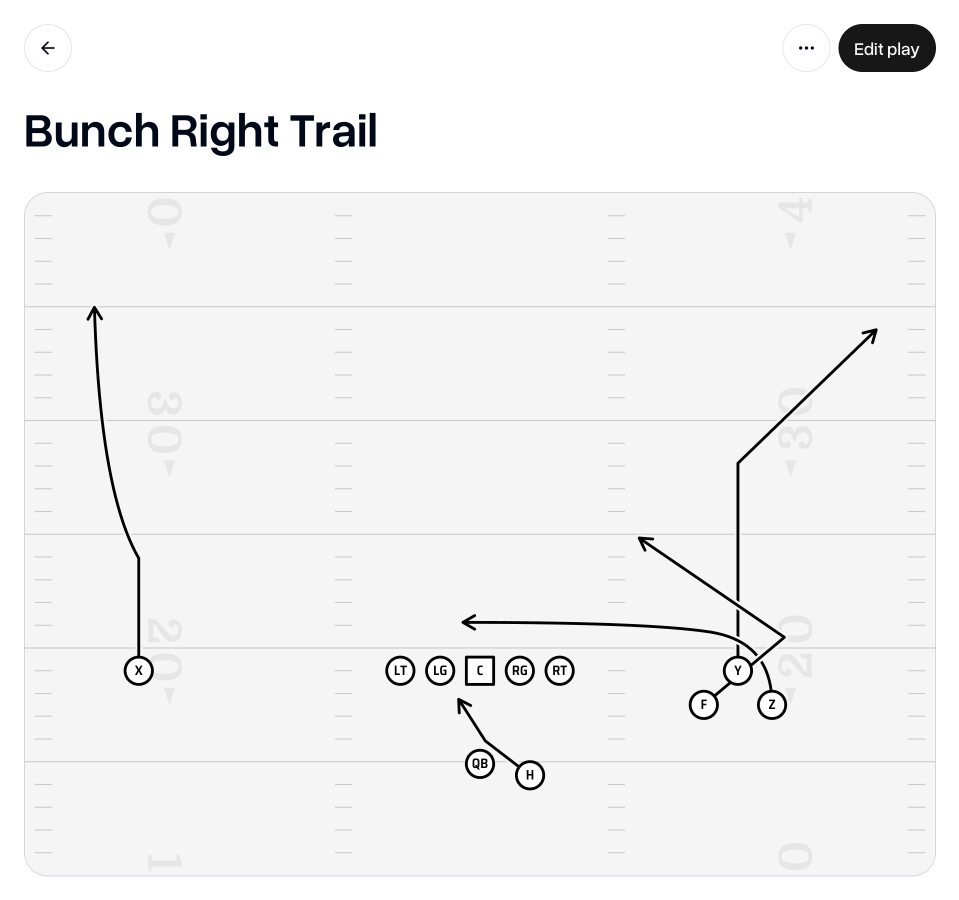
To ensure your play diagram clearly shows your intentions, you now have the ability to control the order of lines on your play diagrams.
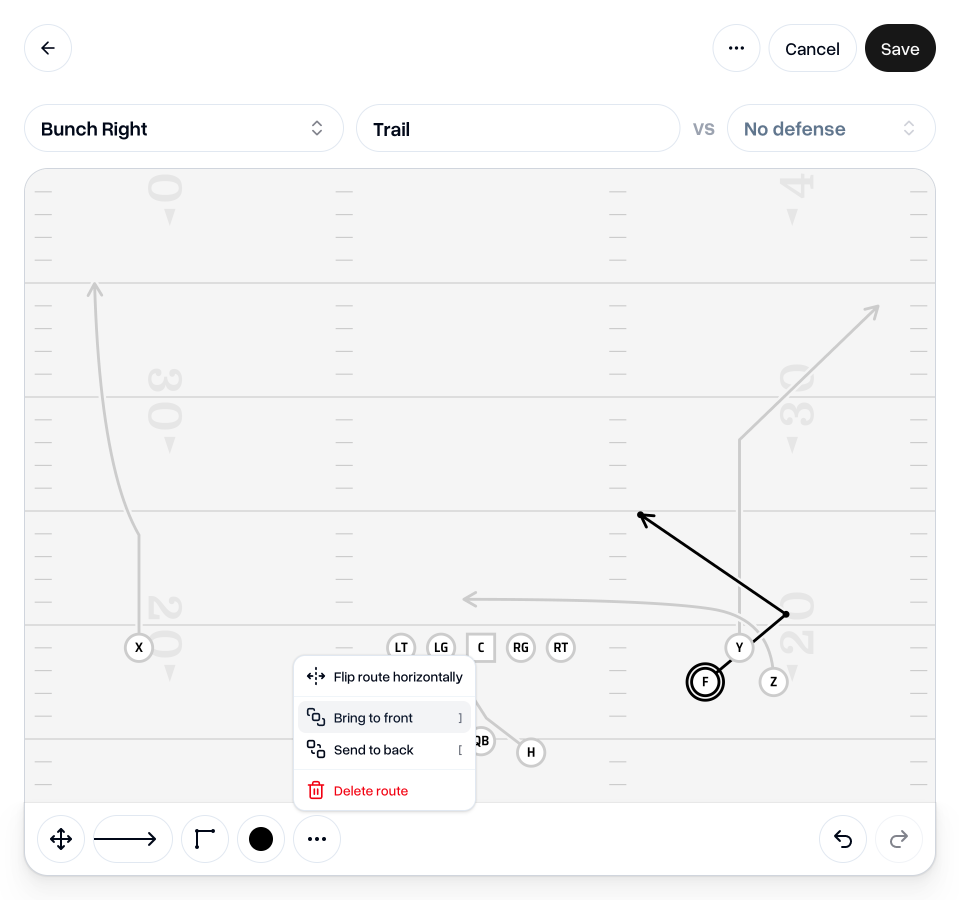
To do this, select a line in "Edit" mode, click the "…" overflow menu in the toolbar and choose either "Bring to front" or "Send to back" in the dropdown menu.
You can also use keyboard shortcuts to save you a couple of clicks: "]" for Bring to front, and "[" for Send to back.
Hand offs
There are a number of ways to indicate when the ball is handed off. Some prefer to set the ball-carrier to a particular color. Some may describe it in the coaching notes. Now you can indicate the hand off with the traditional "double-dash".
You can add the hand off symbol to any existing line. Select the hand off option in the toolbar and click wherever you'd like to add it on the line of the ball-carrier.
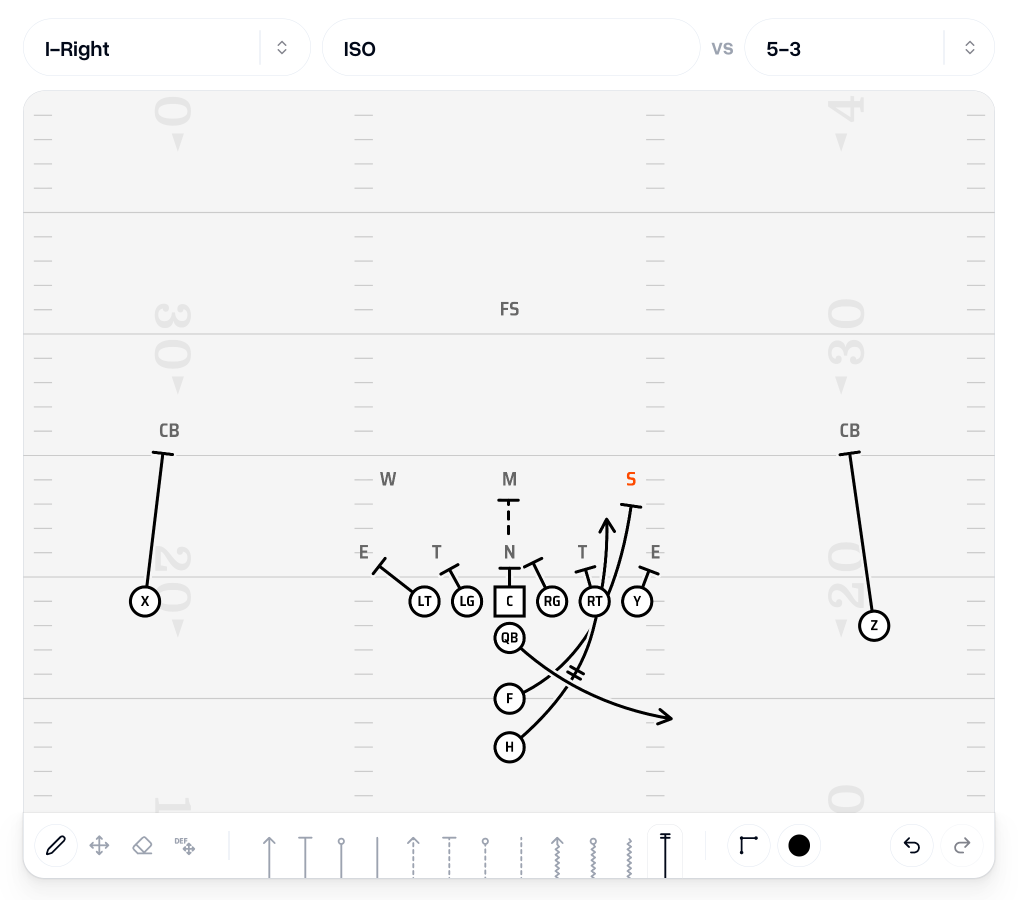
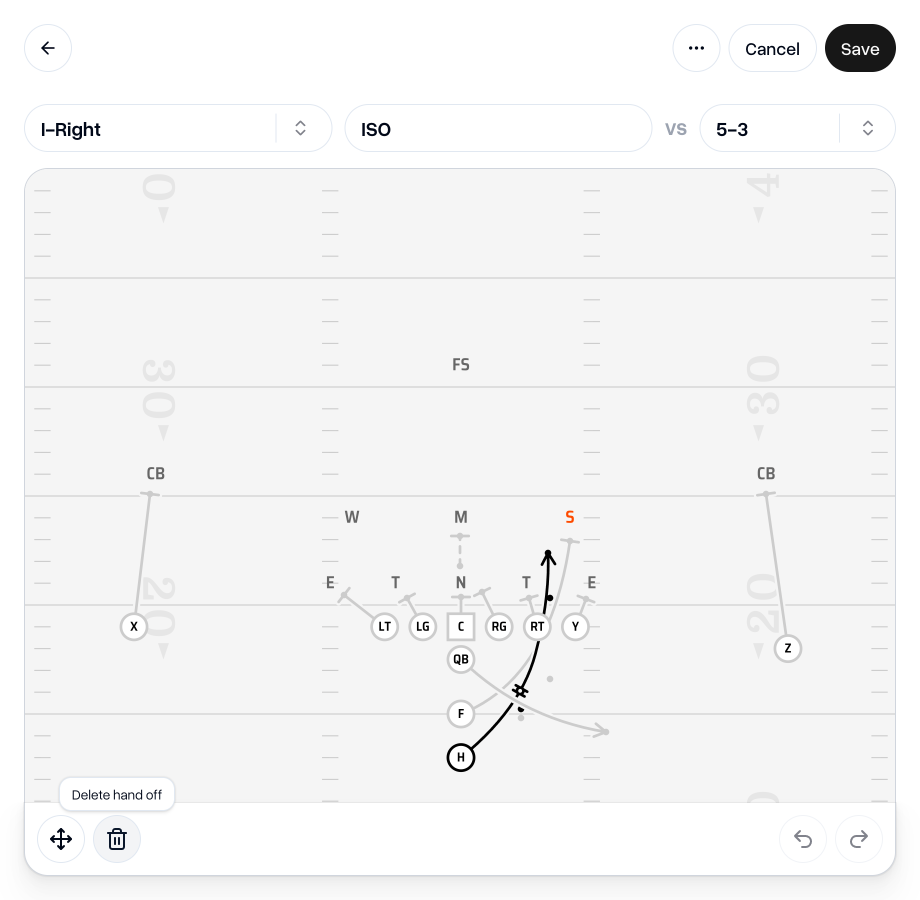
It can be placed on either a straight or a curved line. Using "Edit" mode, you can move it around to the right position in edit mode by clicking and dragging.
It can be removed by selecting it and then either hitting the delete/backspace key or by pressing the "Delete hand off" button in the toolbar.
 Go to my team
As always, if you have any feedback, questions or ideas for improvements, don't hesitate to reach out at aaron@playdesignerpro.com or via the live chat on the site.
— Aaron, Founder of Play Designer Pro