Feature update: Organization Plans
Published: September 15, 2026
Up until now, if your program had multiple teams, you would need a separate subscription for each team.
Now with Organization Plans, you can share your plan limits across multiple teams.
This makes it the most cost-effective way to support all teams in your program. Perfect for if you're running Varsity, JV and Freshman teams, or if you're running a league and want to give every team in the league their own platform to build and learn their playbook.
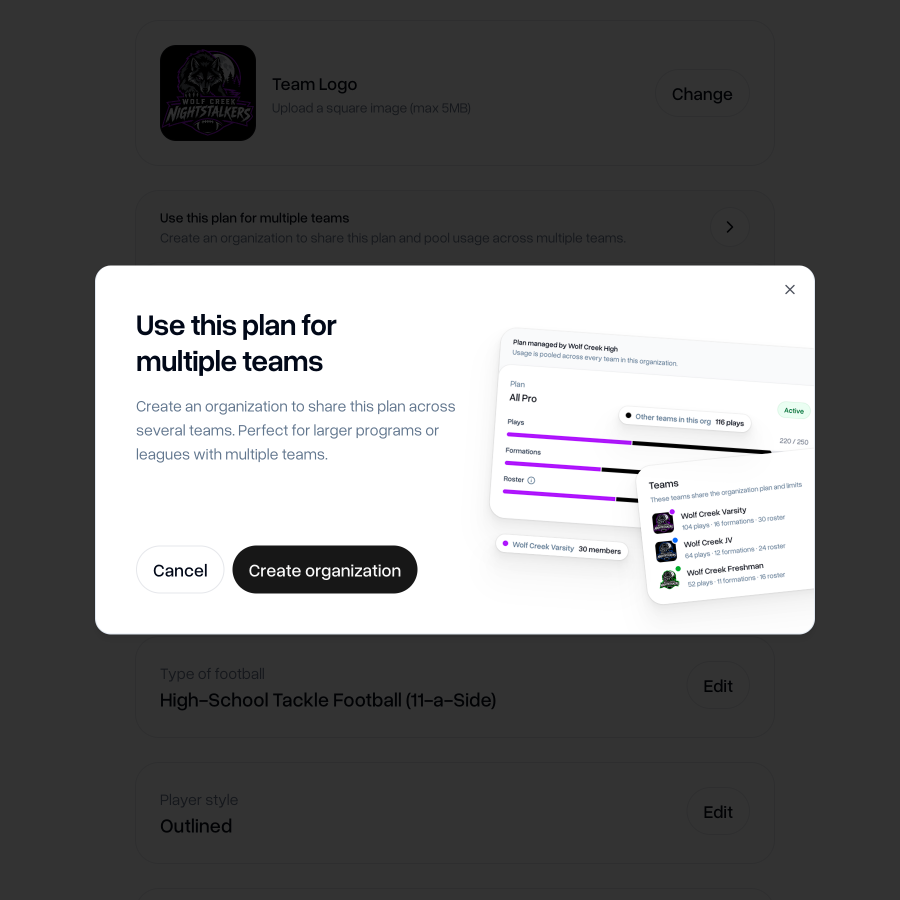
Use your plan for multiple teams
Create an organization to share your plan across several teams. Perfect for larger programs or leagues with multiple teams.
Create organization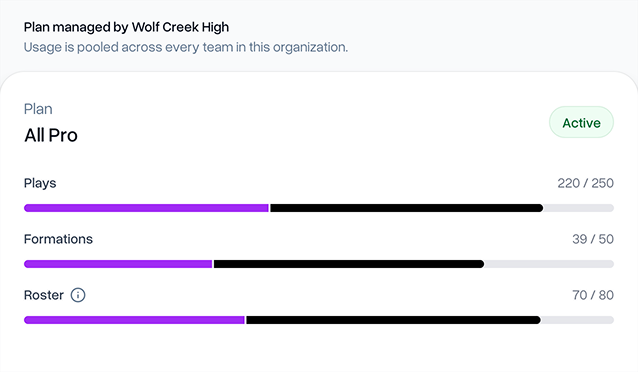


How to use your plan across multiple teams
To use a plan across multiple teams, first you'll need to ensure that one of your teams is already on a paid plan.
If you haven't already done so, you can upgrade your team to a paid plan from your team's settings page.
Once your team is on a paid plan, you'll see the option to "Use this plan for multiple teams".
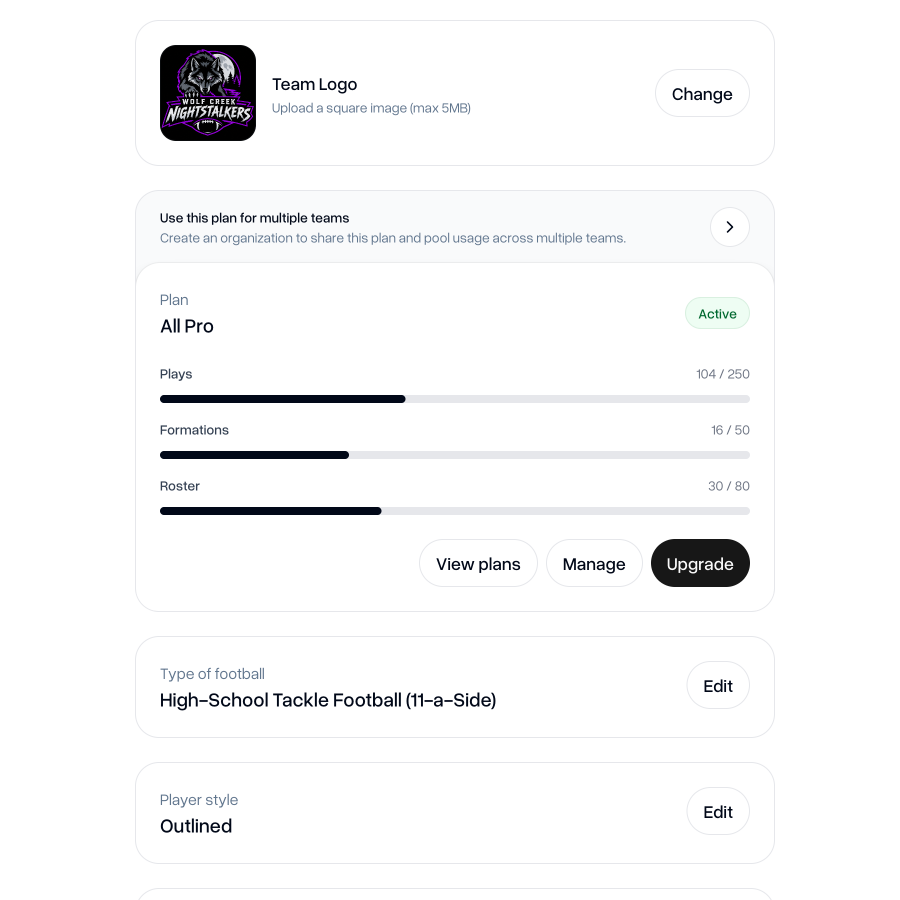
To share the plan across multiple teams, you'll need to create an organization. An organization is simply a collection of teams that can share the limits of the same plan.
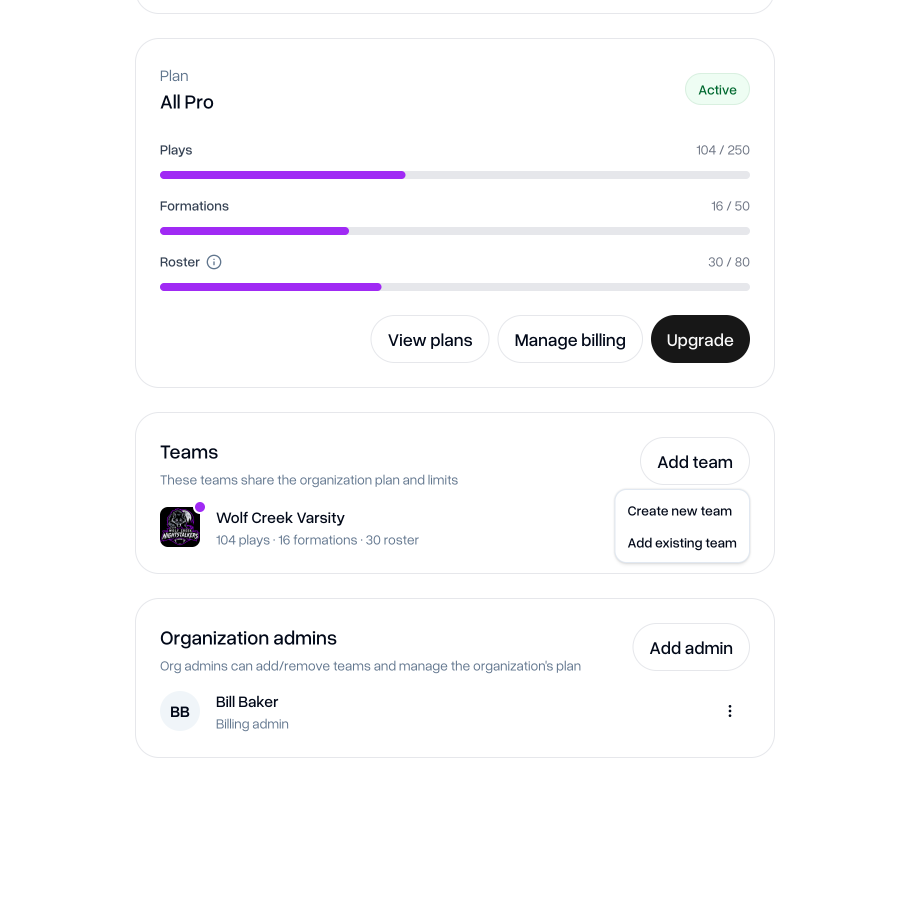
Once you've created and added a name for your organization, you can start adding other teams. You can either choose to create a new team to add to your organization, or you can add existing teams.
For a team to be eligible to add to your organization, you need to be an admin of that team, it can't already be in an organization and it cannot already have its own plan.
You can add as many teams as you like to an organization.
Managing your organization
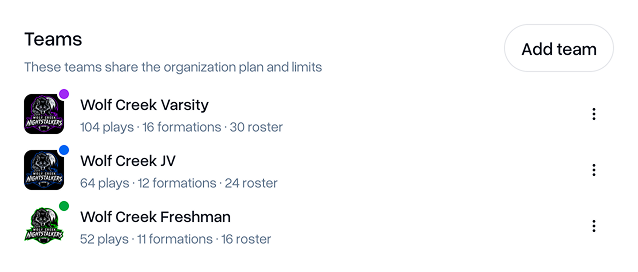
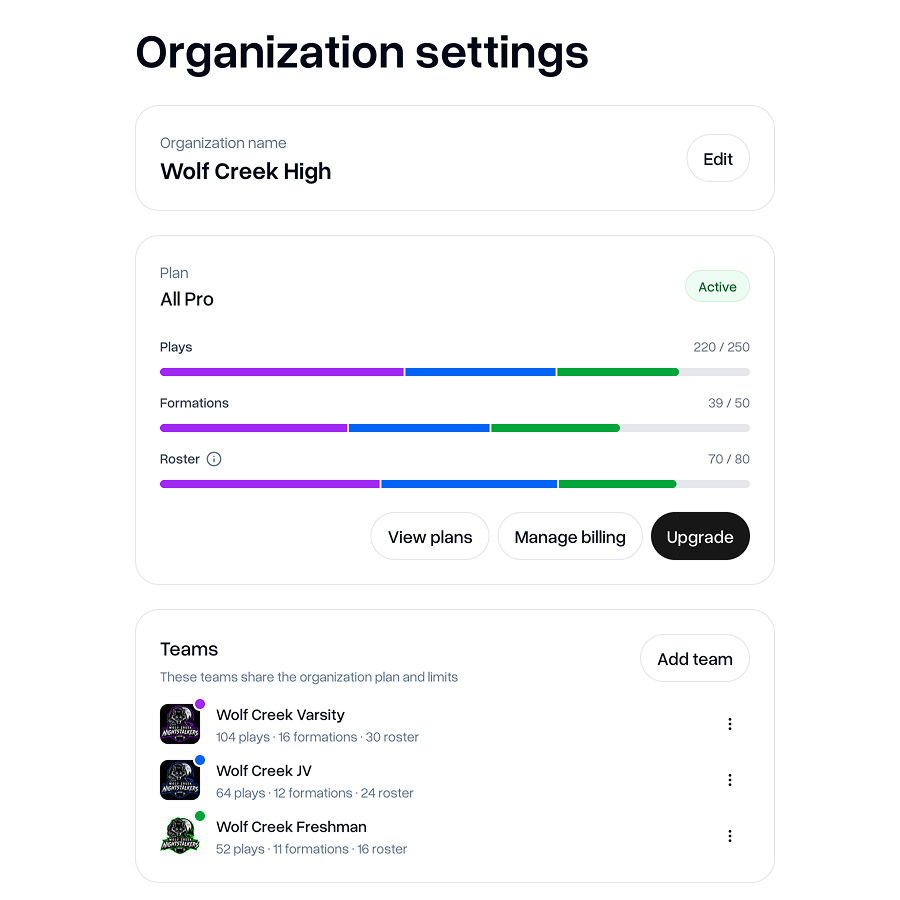
In the organization settings, you'll be able to see a breakdown of how many plays, formations and roster slots each team is using.
For roster slots, a user only counts once across all teams in your organization. For example, if a user is a member of three teams in your organization, this will still only count as one roster slot used against your plan limits.
Viewing team usage in team settings
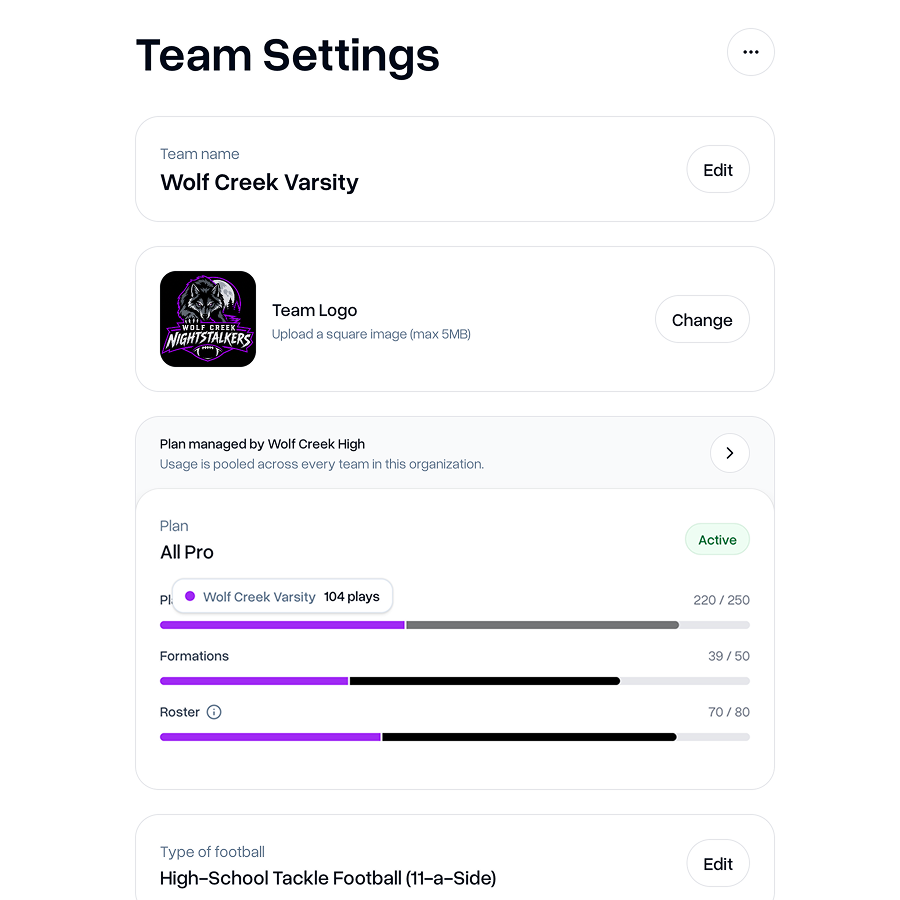
You'll be able to see your team usage from the team settings page too. It will show your team's exact usage against the organization plan limits alongside the usage of all other teams in the org.
Removing a team
You can remove teams from an organization at any time from the "Teams" section of the organization settings page.
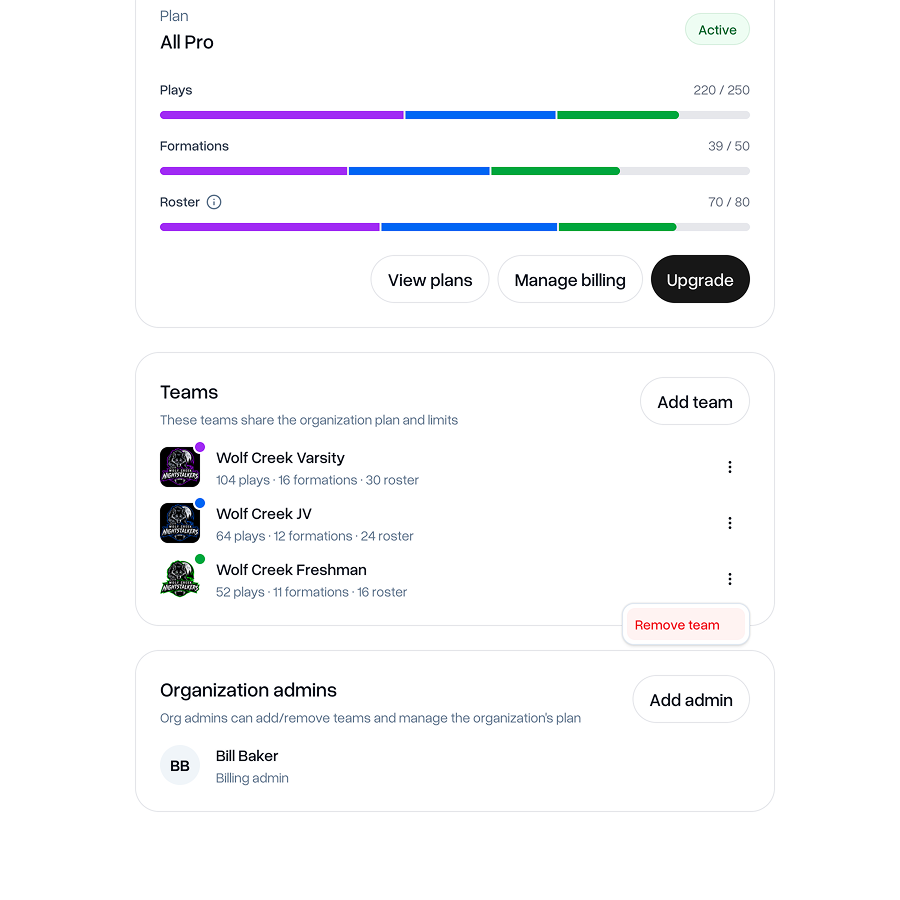
If you remove a team, it will no longer share usage of the organization plan. You can buy a new plan for that team separately, just like any other standalone team.
Adding admins
You can also add more organization admins at any time. Hit "Add admin" and you'll be able to choose from any of the existing admins of the teams in the organization.
Changing the billing user
Another new feature addition we've launched is the ability for another organization admin to take responsibility of paying for the plan.
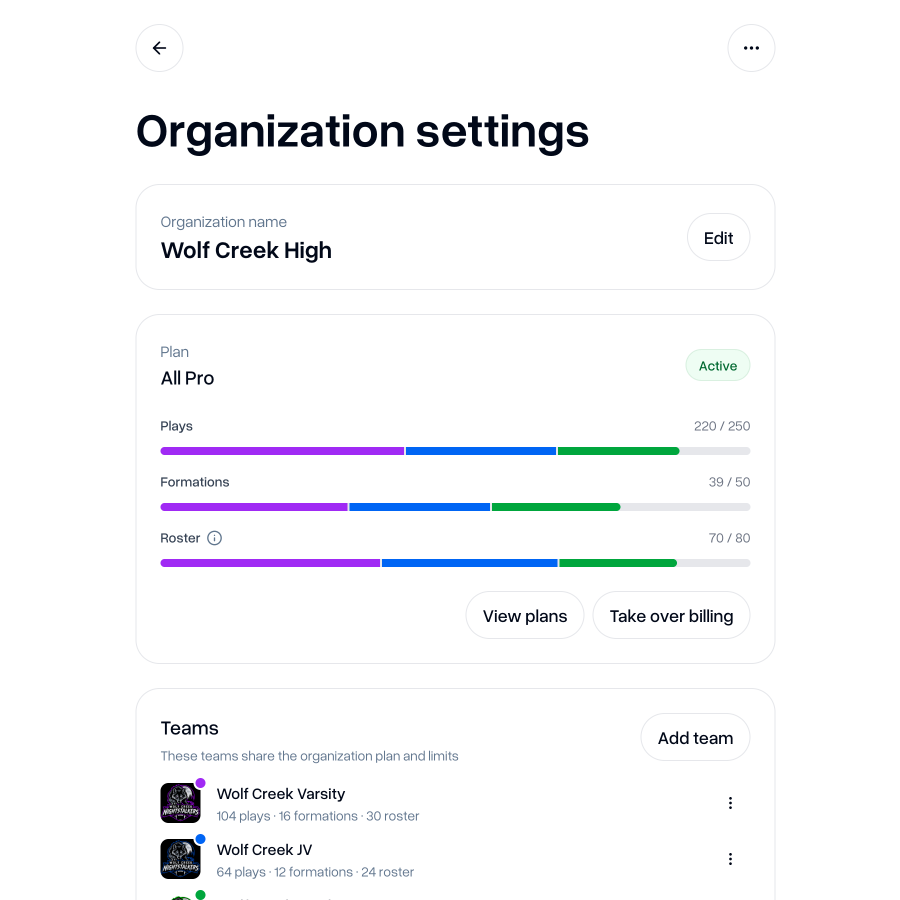
As an organization admin who is not in charge of paying for the plan, you will see the option to "Take over billing". This allows you to enter your payment details so that you will be responsible for paying the next payment for the team's plan.
You do not lose any of the usage that the previous billing admin has already paid for, and you won't be billed until the start of your next billing period of your plan (i.e. your next month or year depending on your plan).
This capability also extends to standalone teams that are not in an organization, so standalone team admins can take over the billing from one another.
Disbanding your organization
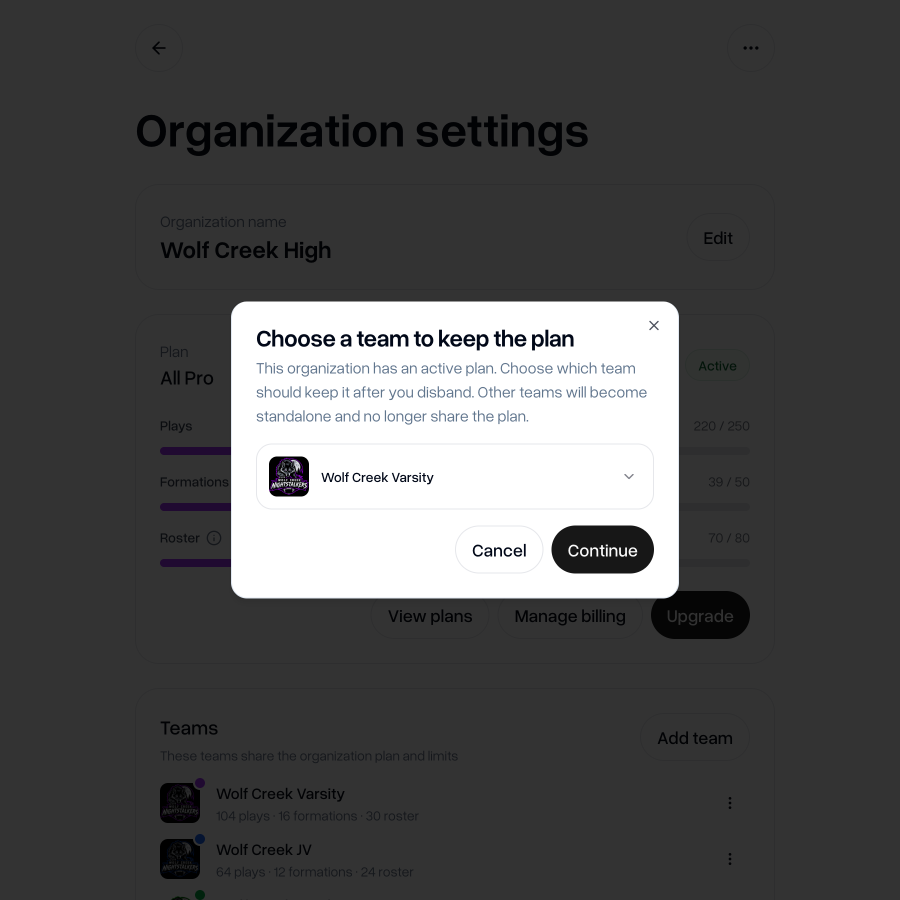
You can disband your organization at any time. Your teams will not be deleted and will go back to being standalone teams with their own plan and limits.
When disbanding an organization, you can nominate one team to take over the current active organization plan.
As always, if you have any feedback, questions or ideas for improvements, don't hesitate to reach out at aaron@playdesignerpro.com or via the live chat on the site.
— Aaron, Founder of Play Designer Pro

Use your plan for multiple teams
Create an organization to share your plan across several teams. Perfect for larger programs or leagues with multiple teams.
Create organization