Feature update: Move multiple players at the same time
Published: April 1, 2026
Ever been frustrated that you needed to move a bunch of players individually, or the whole offensive line for that matter?
Now you can select multiple players and move them around at the same time.
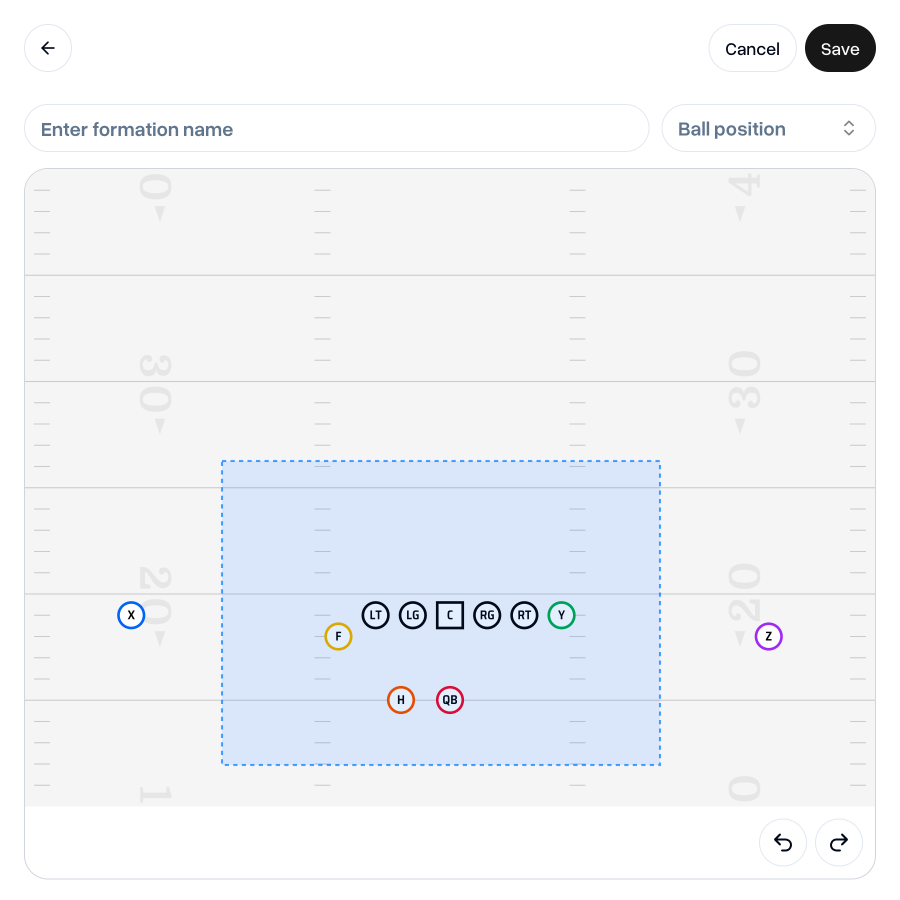
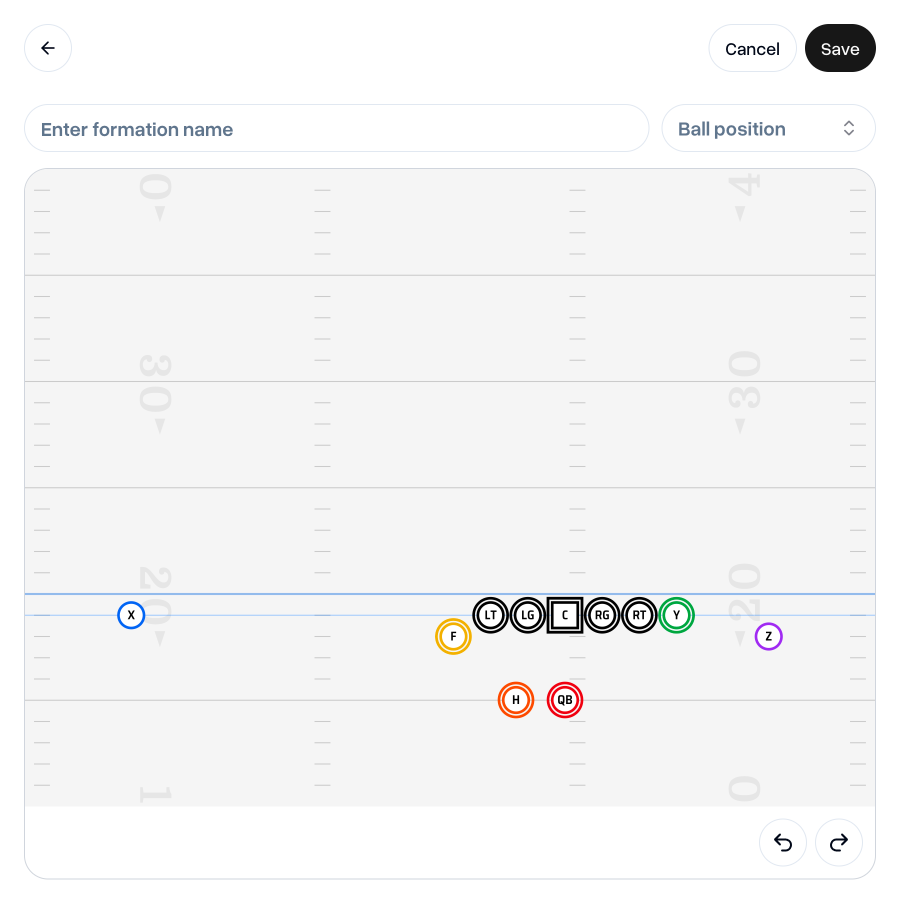
When creating or editing a formation, click and drag to draw an area over the players you’d like to move. Once you let go of the mouse, you can then drag all your selected players around at the same time.
This is great for maintaining constant splits amongst your offensive line and alignments.
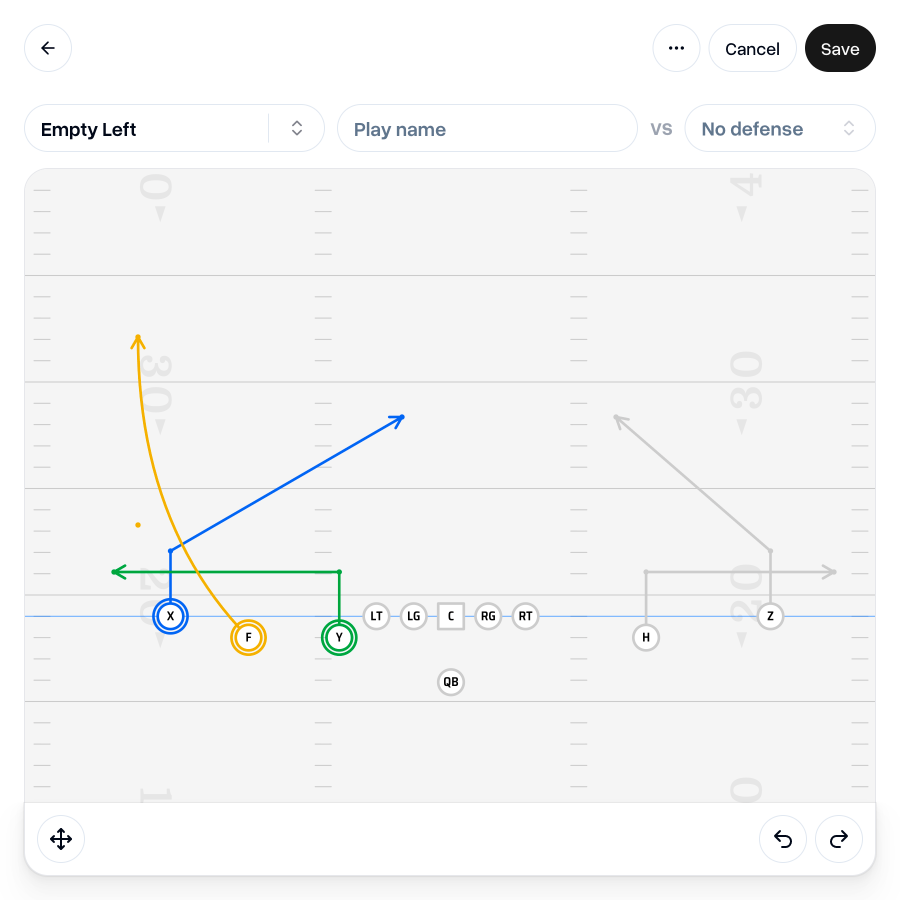
This also applies when drawing a play with a disconnected formation, so you can drag multiple players and their routes at the same time. You’ll need to have “Edit” mode enabled to select and move players.
See our previous release notes for more on plays with disconnected formations.
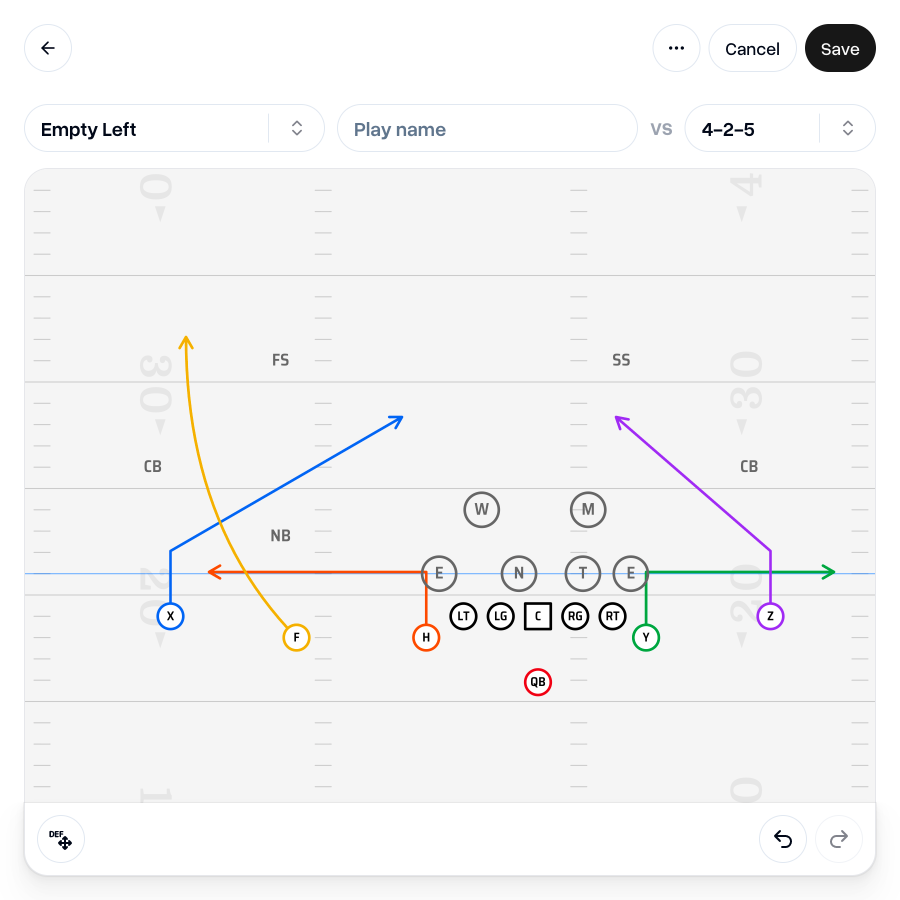
If you’ve added a defense, you can also move multiple defensive players around the same time—great for adjusting a front when the formation is aligned to a hashmark.
Ensure you’re in “Edit defense” mode to move defensive players.
 Go to my team
As always, I'm keen to hear your thoughts on this update. If you have any feedback, questions or ideas for improvements, don't hesitate to reach out at aaron@playdesignerpro.com or via the live chat on the site.
— Aaron, Founder of Play Designer Pro