Feature update: Work on new playbook content before sharing it with your players
Published: November 25, 2026
Ever wanted to work on new content like Plays and Installs, but don't want to share it with your players until it's ready?
Now with Hidden content, you can do just that.
When you are ready, you can publish the content to make it visible to players in the playbook and in quizzes.
What is Hidden and Published content?
We've added the ability to make each item in your playbook either Hidden or Published.
Before this update, as soon as you created a Play, it appeared in the playbook and in quizzes for your players. This is exactly what Published content is now.
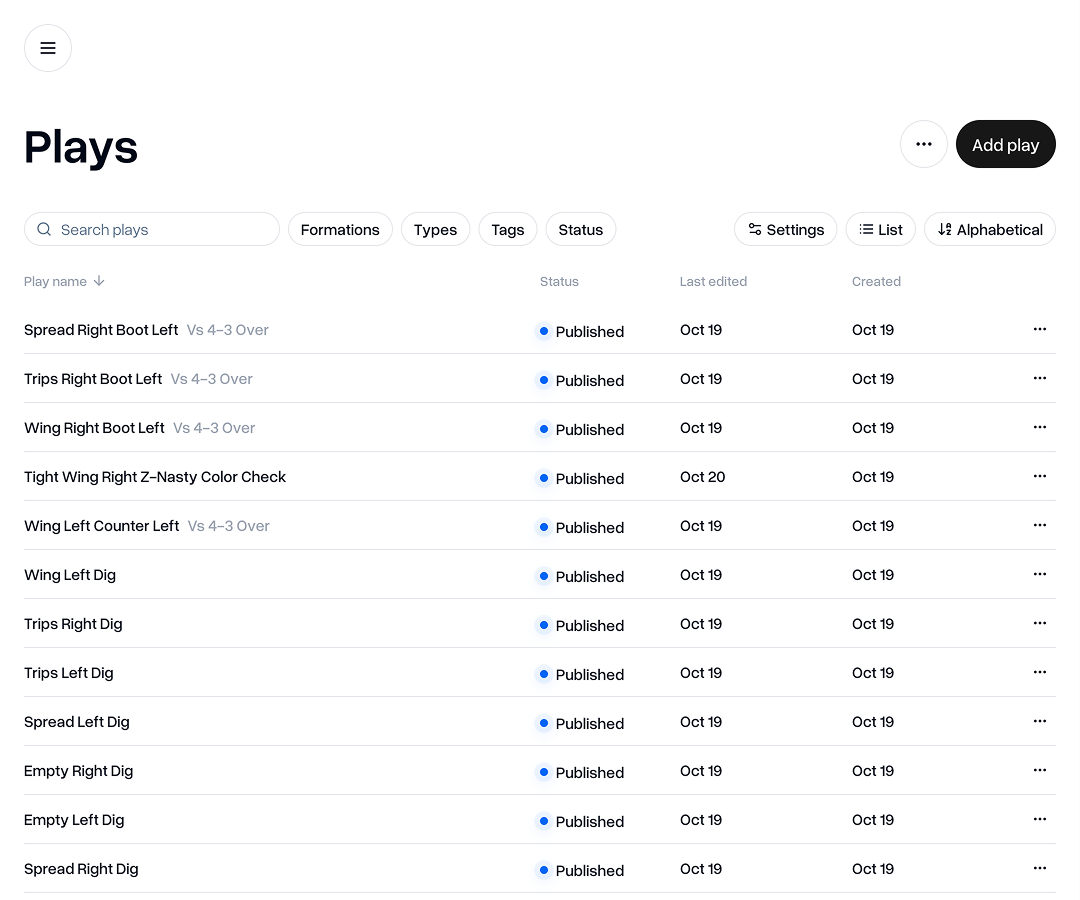
You now have the option to set the visibility status of that Play to Hidden. This means that it is only visible to other coaches, not to your players.
This creates space for you to work on new content without confusing, overwhelming or distracting your players from what you want them to focus on right now.
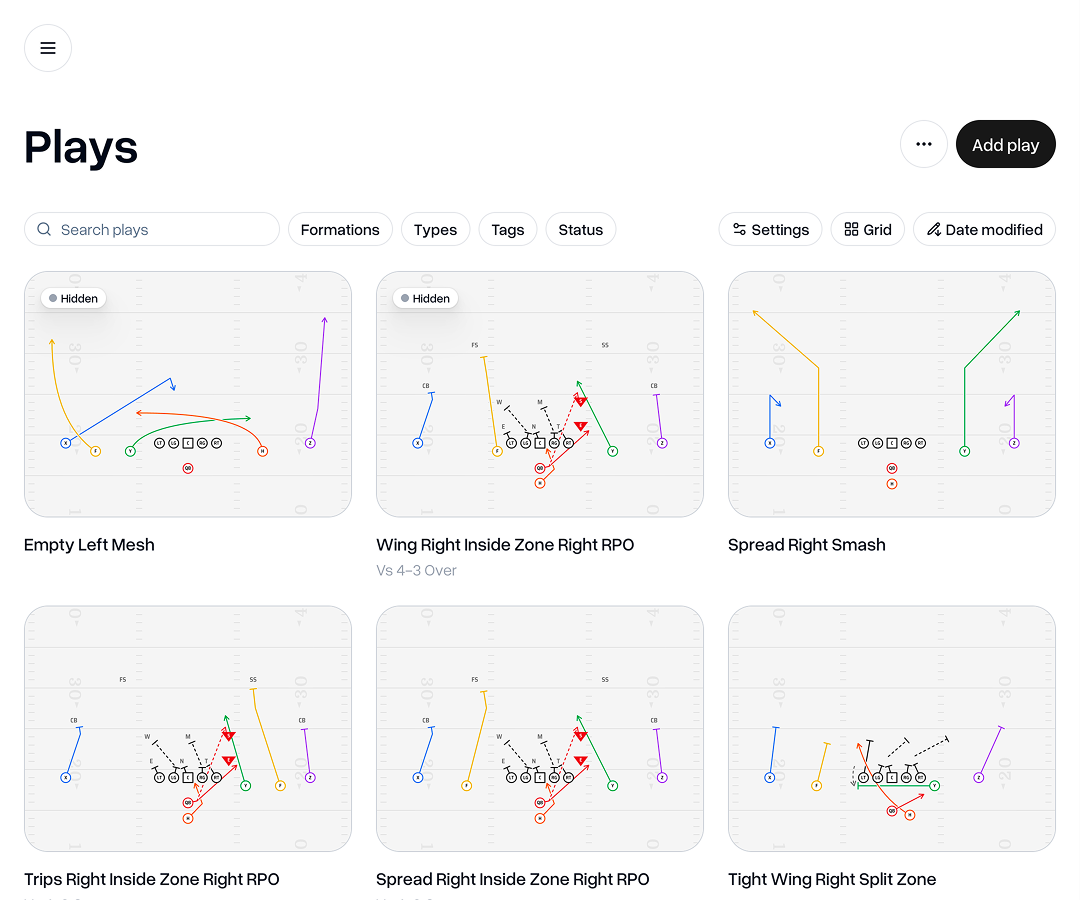
Creating Hidden content
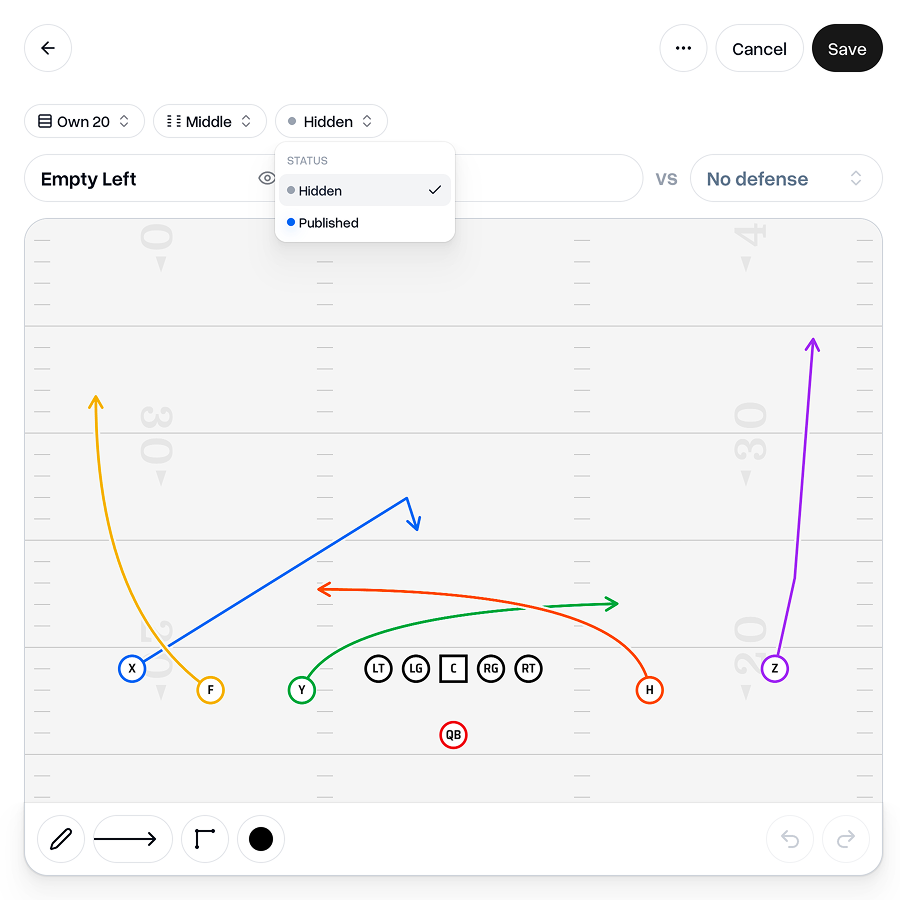
By default, new pieces of content (e.g. Plays, Formations, etc…) are set to Published. This applies for both new and existing teams. While creating your Play, you can change the visibility status to whatever you prefer.
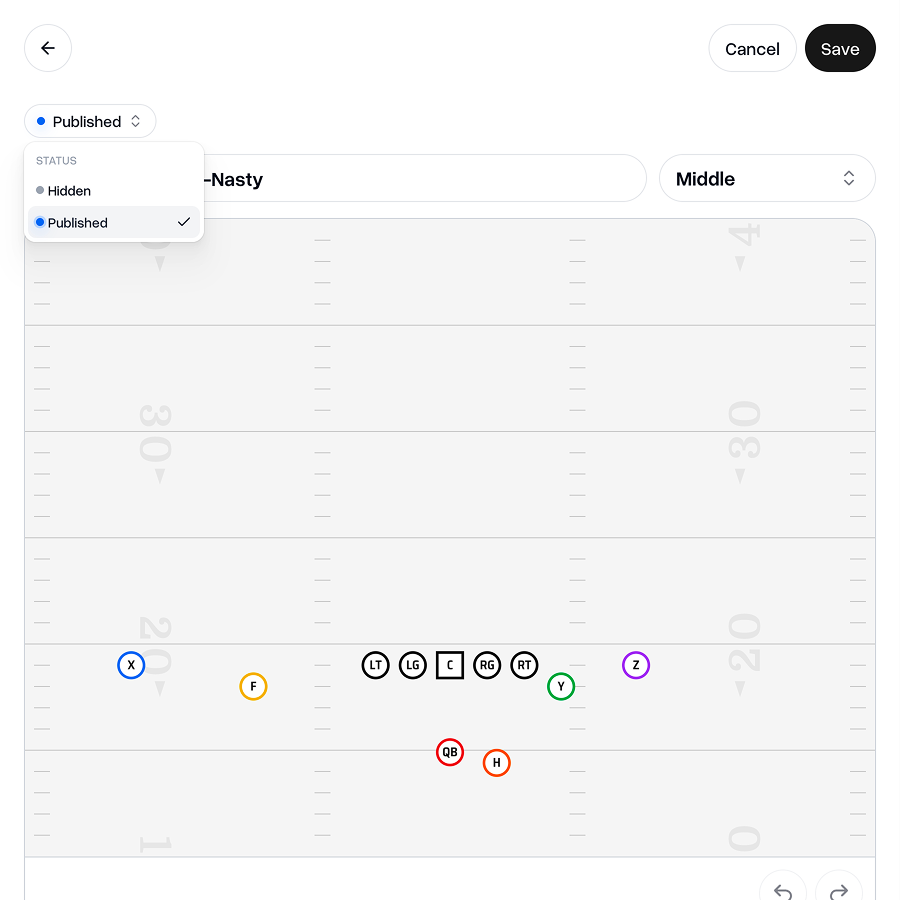
Uu can also edit any existing Plays, Formations, Installs, etc… to make them Hidden. Just go edit the item the way you normally would, change the visibility status, and hit save.
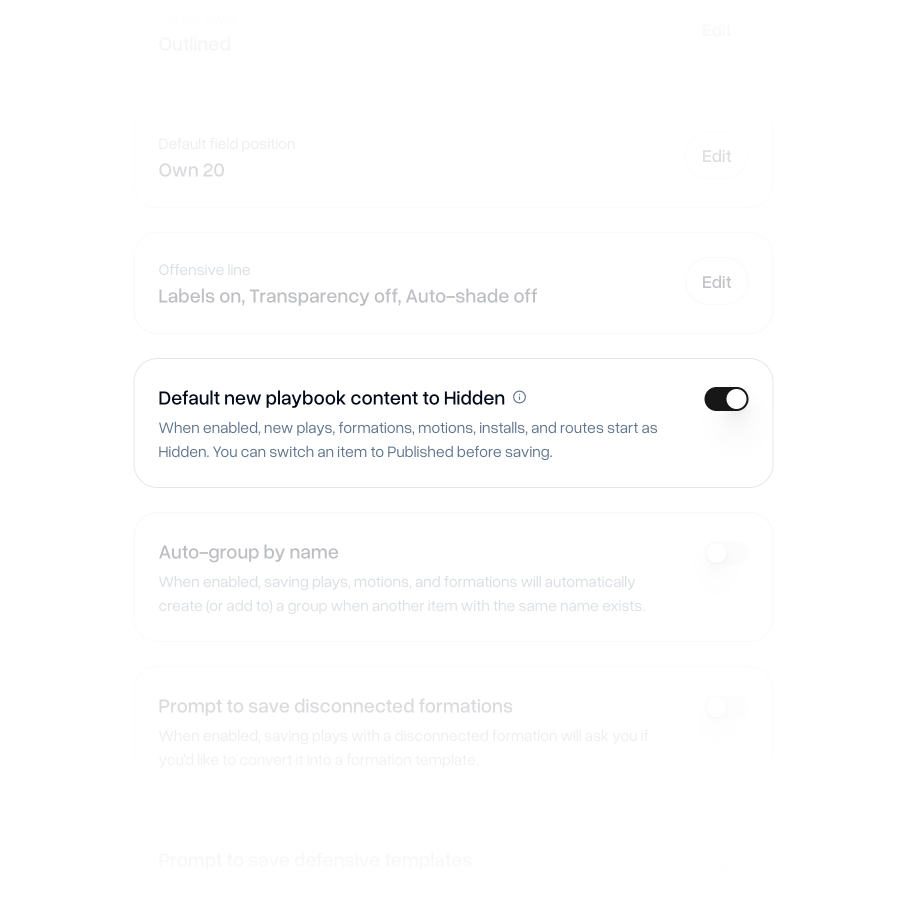
If you would like new content to be set to Hidden by default, you can change this in your Team Settings.
When creating a play, if you change the visibility status to Published, as soon as you save the play, it will be available for your players to see in their playbooks and in quizzes.
How do I publish Hidden content?
To publish Hidden content, just go edit the item the way you normally would, change the visibility status to Published, and hit save. This will make the item visible to your players in the playbook and in quizzes.
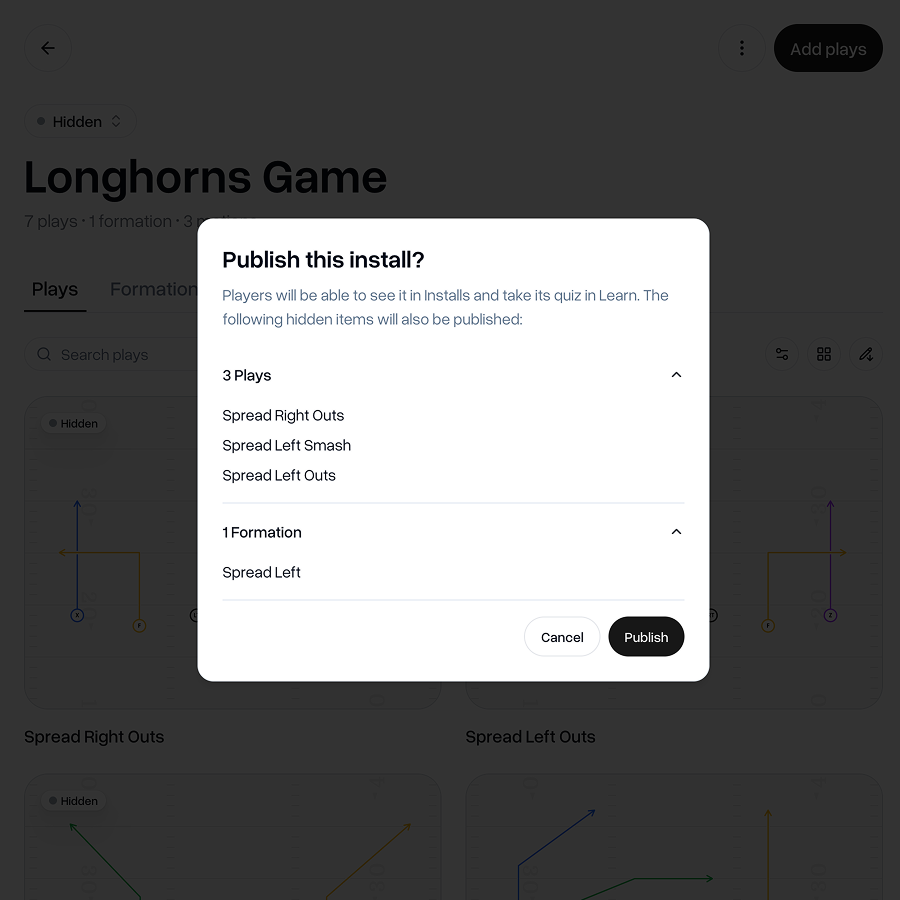
When you set an Install to from Hidden to Published, it will also simultaneously publish any content in that install that is currently Hidden, saving you time on having to edit each one individually.
Will my players get notified when new items are published?
Right now, there is no automatic notification to players when new playbook content gets published, but this is something we'd like to add soon so watch this space.
What can I set to Hidden?
You can set the following playbook content to Hidden:
- Plays
- Formations
- Motions
- Routes
- Installs
As always, if you have any feedback, questions or ideas for improvements, don't hesitate to reach out at aaron@playdesignerpro.com or via the live chat on the site.
— Aaron, Founder of Play Designer Pro